
Track your game achievements
Steam Achievement Manager is a free and lightweight gaming utility that helps users monitor the winnings they've collected in their Steam games. It also enables them to alter the achievements for any games they want. More than tracking your gaming achievements, it features tools for easy discovery of games you own. It accesses achievement listing and manipulation.
Top Recommended Alternative

Despite its outdated look, Steam Achievement Manager is easy to use. However, it’s not, in any way, connected to the official Steam app. Using it means altering your official Steam record. You may run the risk of getting a Valve Anti-Cheat ban.
What is Steam Achievement Manager?
For a serious gamer, achievement is very vital. Some even try to achieve almost every objective in the game or as many as possible. However, tracking all achievements with only the Steam service can be difficult. Luckily, there are tools that you can use. One of those is Steam Achievement Manager or SAM. With it, you can keep better track of your achievements and even alter some.
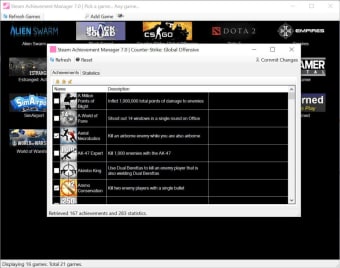
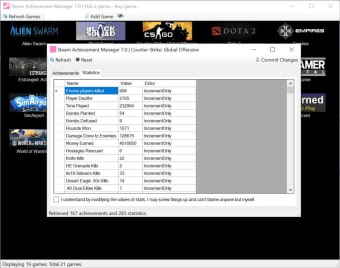
As mentioned, the user interface of this app is simple and bit outdated. However, the tools in it are solid and work reliably. With it, you can practically change any achievement for any Steam game available on the gaming store. You only have to find the game by its title or its Steam ID. You can then enable your achievements and have them activated on Steam.
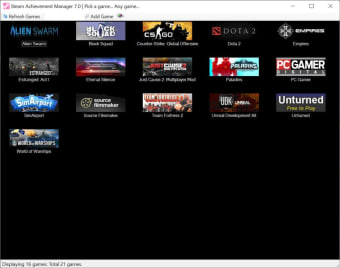
Users must note that SAM is not distributed online in an automated installer. What you can do is unpack it and place it on any directory outside the Steam installation destination. You also need to exit any game before running the app. It will automatically detect any title installed on your PC with the option to add new ones. However, this app requires Net Framework 3.5 to run.
Should you download the app?
Overall, Steam Achievement Manager is a nifty app to have for hardcore gamers. With it, you can change Steam achievements and tailor them in such a way that would suit your tastes. The app is simple and even finds your games easily. Just note that it is not connected to the official Steam app. Although it hasn't happened before, using it may get you banned.






















.png)